Boy a lot has happened this month! It’s really too much to digest all at once, but we’re going to recap everything that has happened in September. We’ve got lots lined up in October as well, but that will be released first through our Patreon Newsletter on the first of the month, which is a good segue into our September Roundup.

September Highlight #1: Patreon

Yes, we finally launched Patreon, after 5 years and change of being in operation. We’ve got some great rewards lined up for people in all tiers, and we like to think that we’ve made it as fair as possible with regards to all the other features we’ve added lately.

You can check the Patreon page here if you want more details on what you get in each tier, but I also need to use this opportunity to outline a few changes happening on the first of the month.

Patreon Change #1 — No Mid-Month Rewards

Now, how I thought Patreon worked, is that it would charge your cards as soon as you signed up, even if you did that in the middle of the month, and then pay out on the first of the month, but I was mistaken. So basically this month amounted to a free trial run for you guys, which is cool by me anyway. The outpouring of support in light of thinking it worked this way is absolutely appreciated.

Since it doesn’t work that way though, what we have to advise people of is that you will not be able to receive rewards if you sign up in the middle of the month. Instead, all rewards will be delivered on the first when the donations are processed.

So if you’re a Patron, just take note that these will be processed on 10/1 (tomorrow). We want to make sure it won’t throw your family budgets off, and you can always cancel before then if you need to.

Patreon Change #2 — MOAR Rewards!

That’s right, in light of feedback I have received, we are making the following adjustments:

  • Silver Tier patrons will be able to use the Command Zone
  • Gold Tier patrons will be able to use /repair all and be exempt from AFK kicking (which is now 20 minutes)
  • Awesome Tier patrons will be invited to participate in a monthly Secret Beta project, where I need participants to test out all the cool new doohickeys that I plan to drop on the rest of the playerbase later.

We hope these changes are positive ones, considering they were made in an attempt to temper policy updates with extra goodies. Either way, this is what we’re going with starting tomorrow, Monday, October 1st.

Patreon Change #3 — Patreon Twitch Days

Minecraft is our first and most-loved game, but going forwards we will be offering additional game servers based on what revenue allows. The first stream day for all games will be using the Patreon channel for Discord. Since Married Minecraft falls on the first day of the month, on that day we’ll be in the Patreon channel during our broadcast. Patrons in the Silver Tier and up have access to this channel.

September Highlight #2: Events

We had a few events this month, not the least of which was the Ender Dragon Fight that took place on Labor Day, where we had the fight twice in one day! We maxed out the server that day during the first go, meaning we had 30 players on at one point!
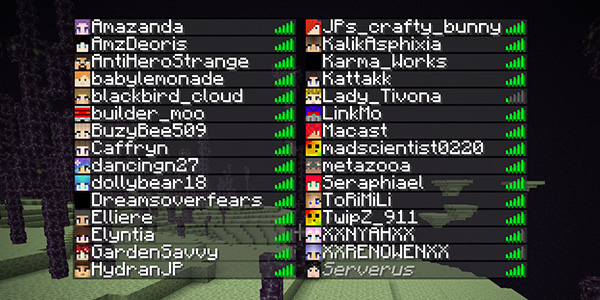
That night, we reset The End world and did it all over again. We almost maxed out the server for this round as well, but didn’t quite get there. Still it was a lot of fun, and since then The End has been open for player exploration.

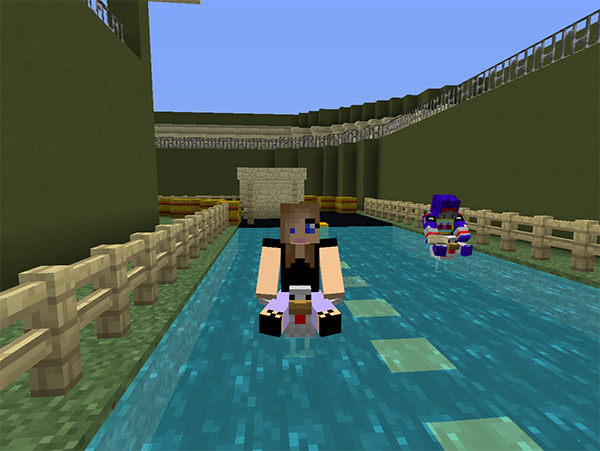
Even before we fought the dragon though, we had to fight our need for speed, with the server’s first ever Chicken Race!
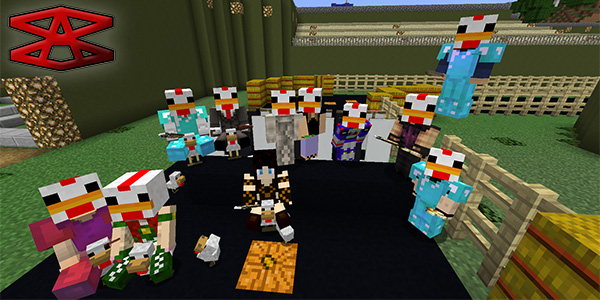
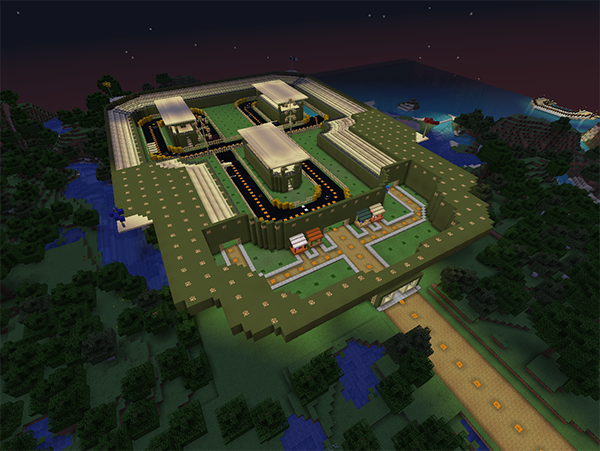
The ladies put together a pretty sweet racetrack for our super-fast ridable chickens, everybody who participated received a complimentary chicken helmet, and we did a few hundred laps while discovering bends and borders that we needed to fix up. While this was essentially just a test run for the track, we’re gearing up for the real deal, which we will be bringing you in November — The Chicky 500!

Of course, the Married Minecraft Mondays are always an event in-and-of themselves and we had plenty of good times during those streams too. Now that we have a real format (i.e. randomly teleport to people while shaders and hi-res packs are on) we’re taking our show on to the Big Time a.k.a. Twitch Affiliates! Give us some bits!

Here are some captures from the last couple of episodes:

[rl_gallery id=”2345″]

September Highlight #3: Economy

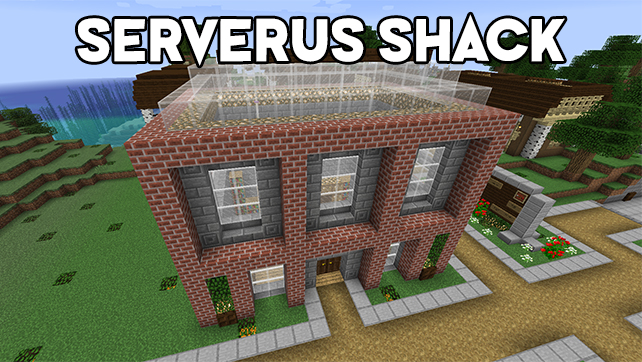
We’ve added economy features now using our new currency — SAMCoin! With this you can take a trip over to the brand new Serverus Shack and spend it on enchanting tools, buying XP, and other special tricks and kits we will be rotating in and out from time to time.

You can also sell your redstone blocks at the shack: One stack of blocks nets you 500 SAMCoin.
MineConnect

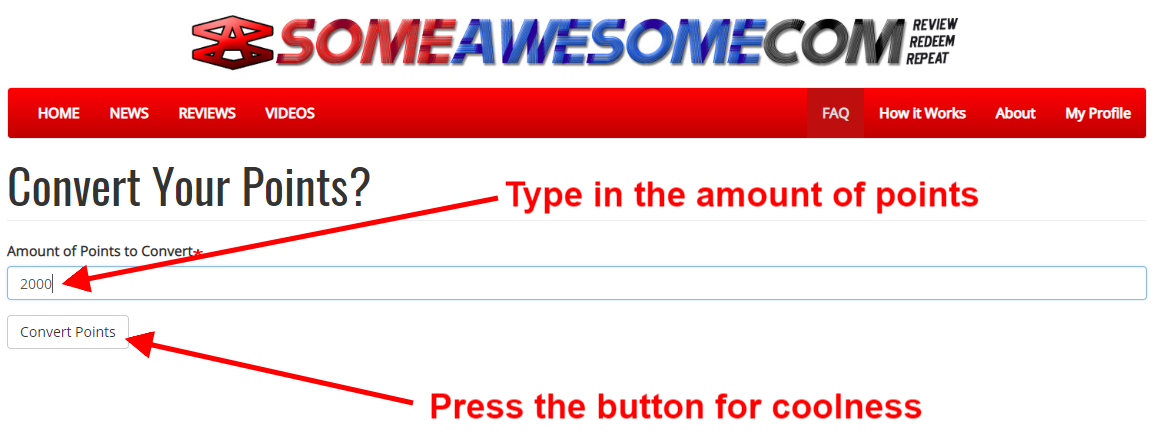
On top of the economy sits our integration with SomeAwesome.com, lovingly called MineConnect. With this, you can convert any points you get on SA into SAMCoin on the server.

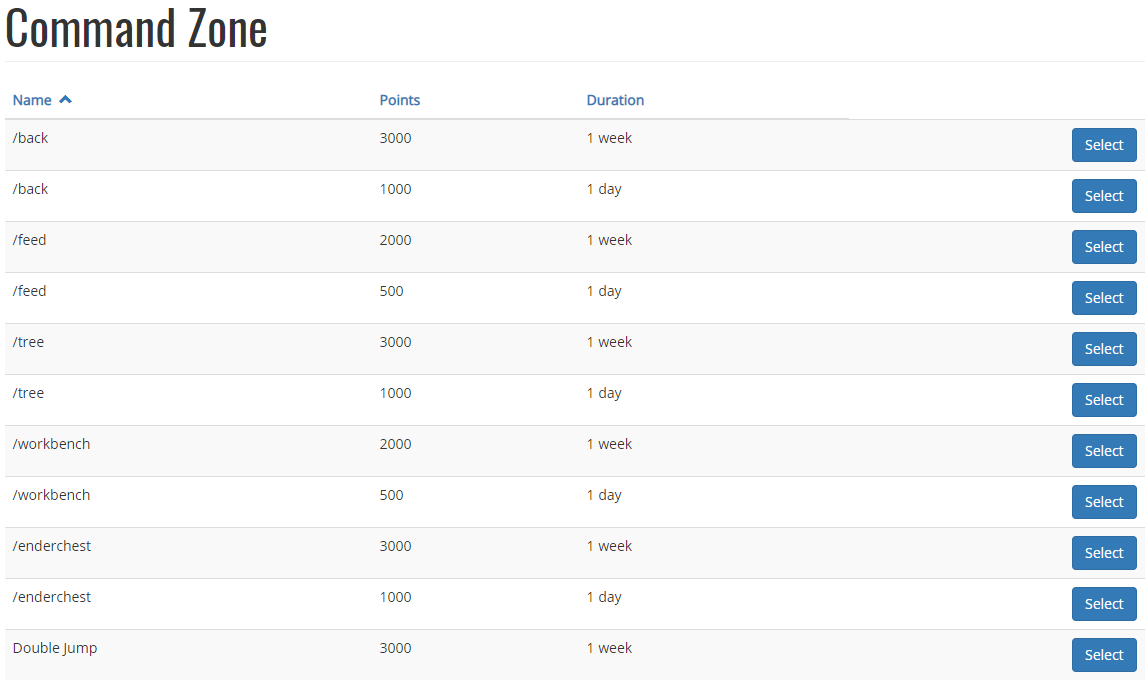
Furthermore, our Silver Tier Patrons will now be able to connect to the Command Zone, which allows you to purchase certain command permissions for a day or a week.

Command Costs

While we still have Command of the Week, we’ve pivoted a bit to allow the economy system to handle a few different commands so they are more permanent fixtures of the server. As of now you can use the following commands:

  • /repair – $100 per use
  • /heal – $50 per use with a 60 second cooldown
  • /warp ct – $1000 per use (in case you get lost)

Daily Lottery

Lastly, players can now benefit from a random Daily Lottery, which will give everyone on a random amount of currency or XP, at a random time of day. Maximize your chances of hitting the jackpot, the longer you are on!

October is Almost Here!

With October just around the corner, we’ve got a lot on the plate for you to get excited for! We’ll be putting out the Patreon Newsletter tomorrow and then a corresponding article a couple days later. If you still want to be an October patron, you’ve got until the end of the day to sign up. Thanks!
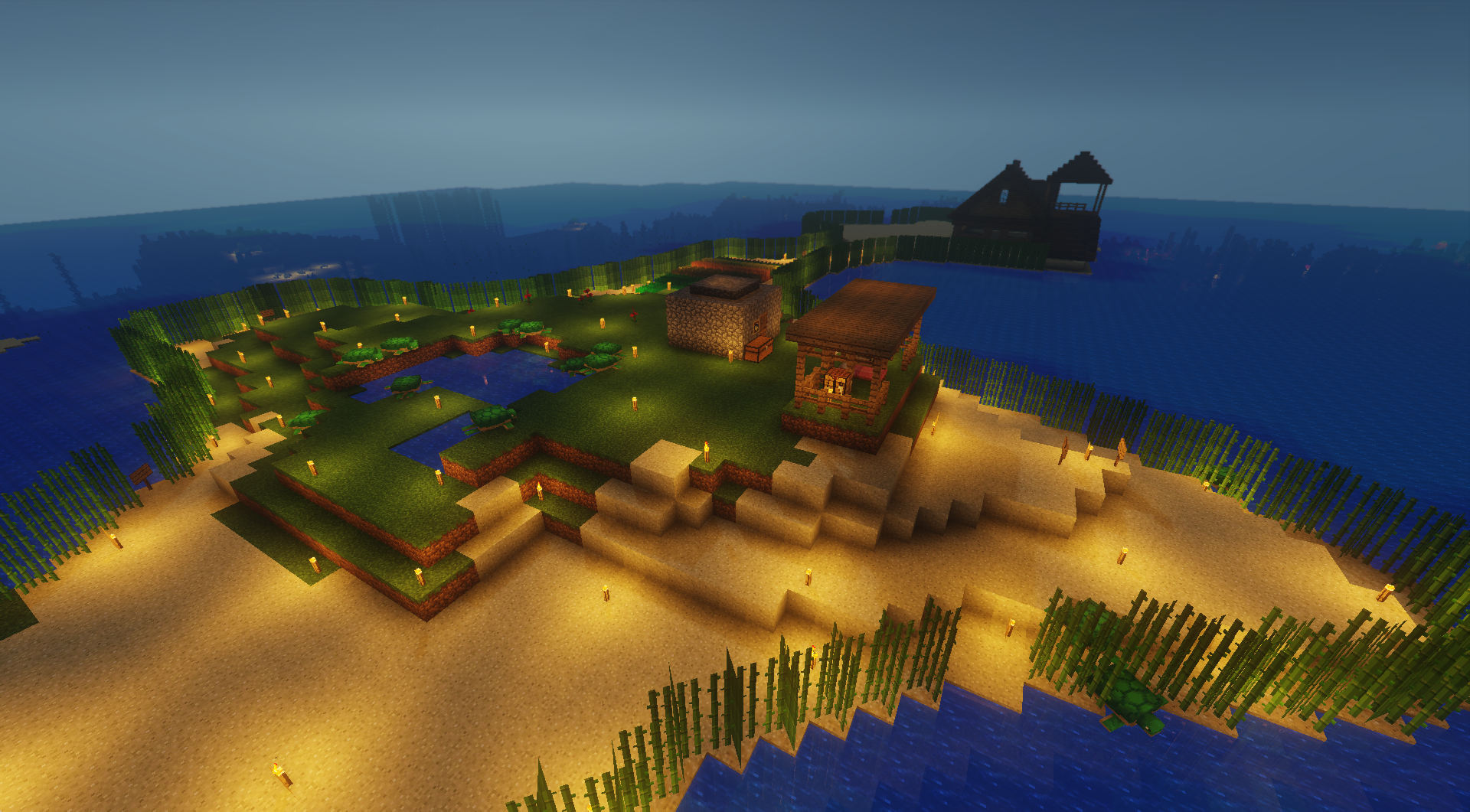
So you found the perfect spot, truly your kind of place. Just the right mix of biomes, maybe some island out in a warm ocean, coral aplenty in the surrounding area, and you’re finally ready to settle down. Just plant a flag in the ground and start building right?

WELL IT AIN’T THAT SIMPLE BUB

It’s been a long time since we’ve launched a server, and with our plentiful experience dealing with property disputes we decided this time we were going to do it right. We had a decent amount of WorldGuard knowledge under our belt (Thanks Nancy!) and we knew that a better system was key to the land grab that would inevitably take place when we opened AquaNu up for the first time. So we put our heads together and came up with the following:

The Dual-Phase Claim System™

Our previous system for claiming on Nunu was a simple “fence it and forget it” deal that often fell short of the mark because some people either just didn’t feel like fencing or a person would dig up from underground inside said player’s fence. Whatever the reason or scenario, we would end up with two players vying for space, and it was never pretty. Some players would just up and quit altogether, and it was difficult for us to mediate regardless, so not a fun time for admins basically.

This time around, we had to make claims simple to initiate, but with incentive for people to stick to the old paradigm. So we made initial claims possible by allowing players to just find a temporary “center coord” where they’d want to start building, and we’d take care of the rest. Or at least, the rest of the bare minimum to get your spot marked out for other players to recognize. The real benefits would come after people fenced it in. A two-tier system was born.

Your Two (or Only) Step Process

You’re not being held to following both steps of this process, but it is important you follow at least the first step. When you find a spot that you like, tag an admin or two in the Facebook group and let them know that you are ready for a first claim by posting your central coordinate i.e. most likely the place you plan to start building. From here one of us will teleport to that coordinate, create a region with your name on it, and expand it out 500 blocks in all directions. This includes above and below as well, so people will be notified that they have crossed into your land even if they’re underground. They’ll also be notified when they leave your property.

This is all provided that your chosen plot does not overlap with another player’s already-claimed land of course. If your land does overlap, we’ll try to work with you to shift it in a direction that does not overlap while still giving you the same amount of space, but if this is not possible, then you can choose to either take a smaller claim, or look for a new spot. It’s up to you but in all cases, first claimed, first served. This should make disputes a thing of the past (or at least really easy to resolve).

You can choose to leave it at that if you want, but we definitely recommend sealing the deal with the second step, which is of course fencing off your land.

Fencing off your land offers a number of benefits, not the least of which is that you can choose to make your land bigger by fencing off more than what your current 1000×1000 region consists of. As long as you don’t wander into someone else’s property, you can go as far outside your claim as you want, but at the end of the day your original region must be contained within your fenced area.

You can use any kind of fence, or even a short wall of blocks, as long as it is a consistent line. You can use wood or stone fence, or just plain old cobble if you want, as long as that same block type is used throughout the entirety of the fence/wall (multiple types of wood are OK). This ensures that you are willing to put the effort into claiming a larger plot than initially given and reap the further benefits of WorldGuard.

Speaking of which, what this means is that you can have your property truly protected without the need for a vault (although you can still request a vault if you want). You can even choose who is allowed to break and place blocks on your property if you want. It’s pretty sweet.

Can I Request More Than One Claim?

We are now allowing multiple claims, but each claim after the first will cost $10,000 SAMCoin in-game. If you are unfamiliar with our in-game currency you can read about it here, but to prevent too much of this claiming from happening, and so we don’t have to keep track of who has moved where, the idea is you can never relinquish a claim, only purchase new ones. Plus it gives you yet another incentive to earn the currency, so it works on multiple levels.

Some Tips To Leave You With

We’ve picked up a few best practices at this point, along with some basic reminders:

  • You have to be outside the initial spawn area (1000 blocks in every direction)
  • Your best bet is travel at least 3,000 blocks in a direction to find a plot that won’t overlap
  • When fencing, try to have no more than 20 turns since we need to put a marker at each turn.
  • Try to find a center coord that is on the corner of multiple biomes for best effect
  • Fencing over mountains is hard! Try going around them. Or through them.
  • Don’t plan to build on either zero coordinate, that’s where we put the roads
  • If you want to live next to a friend, try to find something that will work for adjacent plots

If you have more questions, you can always ask in the group, and I’ll be adding to this article as we run into more scenarios that need clarification.

Thanks!
  ~Serverus

Sounds like a band name, right?

While it doesn’t have a lot of the same polish that the rest of the site has, I am nonetheless releasing the initial functionality for MineConnect and its Patreon-exclusive premium section, the Command Zone. Even though the latter is really just an extension of the former, they have their own separate uses which I will explain to you below.

But first, what’s this all about anyway? Well if you haven’t been keeping up, this is all part of the SomeAwesome.com integration that I’ve been cobbling together over the last month or so, in order for players to have a way to earn more in-game currency, while also helping flesh out the content for the new site. It’s a win-win in my book.

How Does It Work?

The premise at its most basic is that you can take the points that you earn on SomeAwesome.com, points that you would normally spend on redeeming Steam keys for new games to add to your library, and instead use those points to benefit yourself in various ways on the Minecraft server. The system is set up to automatically deduct the appropriate amount of points and then connect to the server to fulfill your request. It’s a neat little trick and I’m rather proud of it 😉

You do have to be on the server at the same time for these requests to work, so I understand how this might be a little annoying for those of you with a single screen, but luckily it is easy to minimize Minecraft unlike some other games, so all you have to do is keep SomeAwesome.com up in a browser to use it while your game is still running in the background.

Let’s go into the specifics about how you can take advantage of it.

MineConnect

At the heart of all this is the MineConnect framework, which at its core enables you to use your points on the server. The most basic example of this is converting your points into SAMCoin (the name of our in-game currency) on a 1-to-1 basis. Need an XP boost in-game and you just got a review published? Go to the MineConnect page and select how many points you want to convert, make sure you’re online on the server, and submit. It should take a couple of seconds, but you will get a success message with your remaining point total once it goes through, and you’ll also get a notification on the server that you’ve added to your balance.

Of course, it’s worth noting at this point that for all this to work in the first place you’ll need an account on SomeAwesome.com and some points to convert. You’ll also need to have your Minecraft username in the appropriate field in your user profile, so make sure you do that first.

Command Zone

The Command Zone offers a separate layer of functionality for our Patreon supporters on the Gold tier and up. If you are on this tier and you have an account on SomeAwesome.com (and your Minecraft username is stored in your profile), you’ll have access to this area of the site where you can spend your points on daily or weekly access to a variety of different command permissions.

We only have a handful of available commands at the moment, and all of them are Essentials commands with the exception of Double Jump so if you want to learn more about them, then click the links in this sentence before you purchase them.

Most commands will have the option to purchase them for a full week or a single day. Obviously you will get more for your points if you choose the full week option, but for those players who do not play every day, the day option can be more economical. So it’s up to you and how you play.

Again, you have to be on the server for this to work so please keep that in mind. If you are not on the server, the points will not be deducted and an error will show up.

We Want More Commands!

Feel free to suggest commands that you’d like to see here, I already have a few I’m working on adding (*cough*Treefeller*cough) but be advised that not all commands make sense to add to this list, plus I need to keep some out to have as Command of the Week.

Speaking of which, going forward there will be a week’s notice on COTW to give people enough time just in case the command they’ve purchased is on deck for the following week. This way, as long as you’re paying attention in the group, you’ll never feel cheated out of a command you just bought.

Both MineConnect and Command Zone are available now, although they are both only minimally tested, so please make sure  you are following the process stated above. While I’ve done my best to make sure that they are fairly straightforward, I have the benefit of knowing this system inside and out, so feel free to tell me how I’m doing it wrong! 😛

Thanks!
 ~Serverus


Four years ago, I wrote a post about why we don’t accept donations from our player base. At the time it made sense, and it was important for me to know that our players understood that this wasn’t merely some cash grab, or that we expected something in return other than an adherence to our rules. That’s still true today of course, but looking back on that post, I also feel like maybe I was a little shortsighted with some of my justifications. I could elaborate but honestly that’s all in the past now. After this long I feel like my point has been made.

With the launch of SomeAwesome.com and our desire to expand upon the basic foundations we’ve built with the Minecraft group, it’s pretty clear to me that if we want to grow this venture into something that will last, it will have to be with the backing of friends, family, and fellow gamers. For many of you, especially those who have been with us for the entirety of these 5 long years, your loyalty and emotional support cannot be understated, and again I want everyone to understand that launching this Patreon does not put ANY player into a bucket of better or worse. You are under no obligation to put money up if you choose not to or can’t afford to, so please do not feel like that is the case.

I’ve truly wracked my brain to try and make these tiers as fair as possible with respect to affordability vs benefits. I’ve worked on ideas for several months, and edited these a dozen times. If anyone feels alienated by my setup here, then believe me it was not for lack of trying.

So What’s Included?

Some of the rewards you see on the Patreon page will be unfamiliar, so I’m using this article as a medium to explain what they mean. Also worth noting that all patrons will receive rewards for both the Minecraft server AND SomeAwesome.com so if you want to get the most bang for your buck out of this, it’s in your best interest to sign up for an account over on the main site. 😉

So without further ado, here is a more detailed rundown of the Patreon reward tiers:

Tier 1: Standard Level – $1

A whole buck! We figured there needed to be a clear baseline that we are trying to emphasize affordability over exclusivity here so we made our initial tier the lowest price it could be. The monthly newsletter will have a lot of insight over upcoming events, our favorite tips and tricks, featured builds and much more. We’ll also place your player head in our new player starting area near the command tower so that other players can bask in your creepy stare.

The really exciting part of all this, is that all players, be they patrons or not, will gain access to our brand new MineConnect feature. This allows players to convert their points on SomeAwesome.com to the new in-game currency that can be spent at the “Serverus Shack” located across from the command tower on healing yourself, repairing your items and enchanting your tools, plus more! At this tier you get an extra 300 points on SomeAwesome.com every month.

Tier 2: Silver Level – $5

The next tier up offers a few more perks as well as all the perks from the first tier. First and foremost is what every player has been waiting for: backpacks! More specifically, this tier will give you all 6 available rows of backpack. At the same time we’ll be activating a single row of backpack for ALL players regardless of whether you’re a patron or not, and you can still use birthday books to get additional rows. Also, you’ll get access to the new, patron-exclusive channel on our Discord.

Finally, an additional 1500 points (for a total of 1800 points) per month on SomeAwesome.com that you can spend on redeeming games or convert to the in-game currency.

Tier 3: Gold Level – $10

This tier only has 20 spots available so get ’em while they’re hot! This level probably offers the best value, with an additional 2500 points to spend on SomeAwesome.com (for a total of 4300 points), plus a command block on the ground floor of the command tower. Also….permanent /repair! Who doesn’t love that?

To make things even better, this tier offers access to the Command Zone section of our MineConnect integration where, instead of converting your points for in-game currency, you can spend those points on selecting your own Command of the Week. Point costs will vary depending on the command, and you’ll only be able to select one at a time, but after you pay your points you’ll have that command available for a whole week. Example commands will be /back, /home, /feed, /enderchest, night vision and many more!

Tier 4: Awesome Level – $20

Only 4 spots available for this level, with a few extra perks on top of the others you get from the previous three tiers, including guaranteed game night entry, advance access to scheduled Steam keys for release, a special in-game loot box of goodies, and one token to redeem for picking your choice of ride-able mob for a one month duration. To top it all off you also get an additional 5000 points on SomeAwesome.com, for a total of 9300 points per month.

You can sign up for the Patreon now or you can wait until October 1st if you want to get a full month out of your benefits, since the subscription re-occurs on the first of the month. We’ll be working diligently over the course of the next week to make sure that your first month is a great one!

With your donation, we’ll be able to get advance payments on reserved instances for AWS, which will bring down the overall cost of the server for us, and any additional funds we collect that are over and above the operating costs will go towards giveaways, additional events, and new tools to help players.

If you have any questions or suggestions, we’d love to hear from you! Feel free to message us directly and let us know what you think. And as always, thanks for everything you’ve done and continue to do to make this server an amazing place to play. Here’s looking at another successful 5 years and more!

~Serverus

These rideable chickens have been way too much! Let’s test these bad boys out on the track! Join us for our very first Chicken Race!

Meet at the Command Tower at 9:15pm. Head down to the orange road to our new race track. The race will begin at 9:30pm EDT. Don’t forget to join us on Discord.

Stop by the game day vendors for some race day goodies (bring feathers).

We’ll run several heats so even if you don’t want to race, come have a few laughs with your friends. Join our Facebook event for more details. Then don’t forget to join us Monday, Sept 3rd for our first 1.13 Dragon Fight! It’s a big weekend full of new stuff and things!

***All are welcome to join! Players must be whitelisted on our server***

The community market is in the pipeline for upcoming projects, so it was important to us that we really think it through and try to avoid cutting corners on the most efficient way to handle stores, trading and currency. On top of this, I was actively looking for a way to evolve Command of the Week into something fresh, while simultaneously searching for a way to tie SomeAwesome.com into the group as well. As luck would have it, the simplest answer revealed itself to be the one with the most potential.

I’ve always dabbled with the idea that one day we would use a proper economy plugin on our server, and considering we are all enjoying the possibilities surrounding 1.13, I figured what the heck, let’s do this. Ergo, we turned on the Essentials Eco settings and put together a plan for how we could make this work. So far, I think it looks promising.

We did a Twitch stream the other night and I explain much of what we’re doing, along with a helpful demonstration, in that recording. But it’s two hours long so I understand if you don’t want to watch it. I did skip straight to the part where we explain it though, so if that interests you, find it below. If not, feel free to skip past and keep reading.

How Does It Work?

The “money” itself is fairly arbitrary. It’s not an item in-game, you don’t store it in your inventory, it’s basically just a number that you can see by using the /balance command.

Everybody starts with money, whether you’re new or have been playing with us for a while. There will be plenty of ways to earn additional currency (I have no idea what we should call these denominations yet) and I will outline those below. Once we start up the market, players will also be allowed to charge currency for items they are selling, but this is not mandatory. You will be free to just trade for items instead if that suits you better. Admin shops will most likely all use the currency though.

On Nunu, we used the XP bottles for the mall shops, and while I was fairly happy with this from a technical standpoint, it was just too easy to game this, and it inadvertently encouraged people to spend an overabundance of time at XP grinders. I’ve never personally been a fan of those things, although I have no intention of banning them or anything so don’t worry, but implementing a real currency has the positive side-effect (to me anyway) of reducing players’ reliance on these mob spawners, so it’s just one more reason to put it into play.

We’ve found a lot of cool ways to hook this into different facets of the server and community so let’s just jump right into it.

Behold, The Serverus Shack

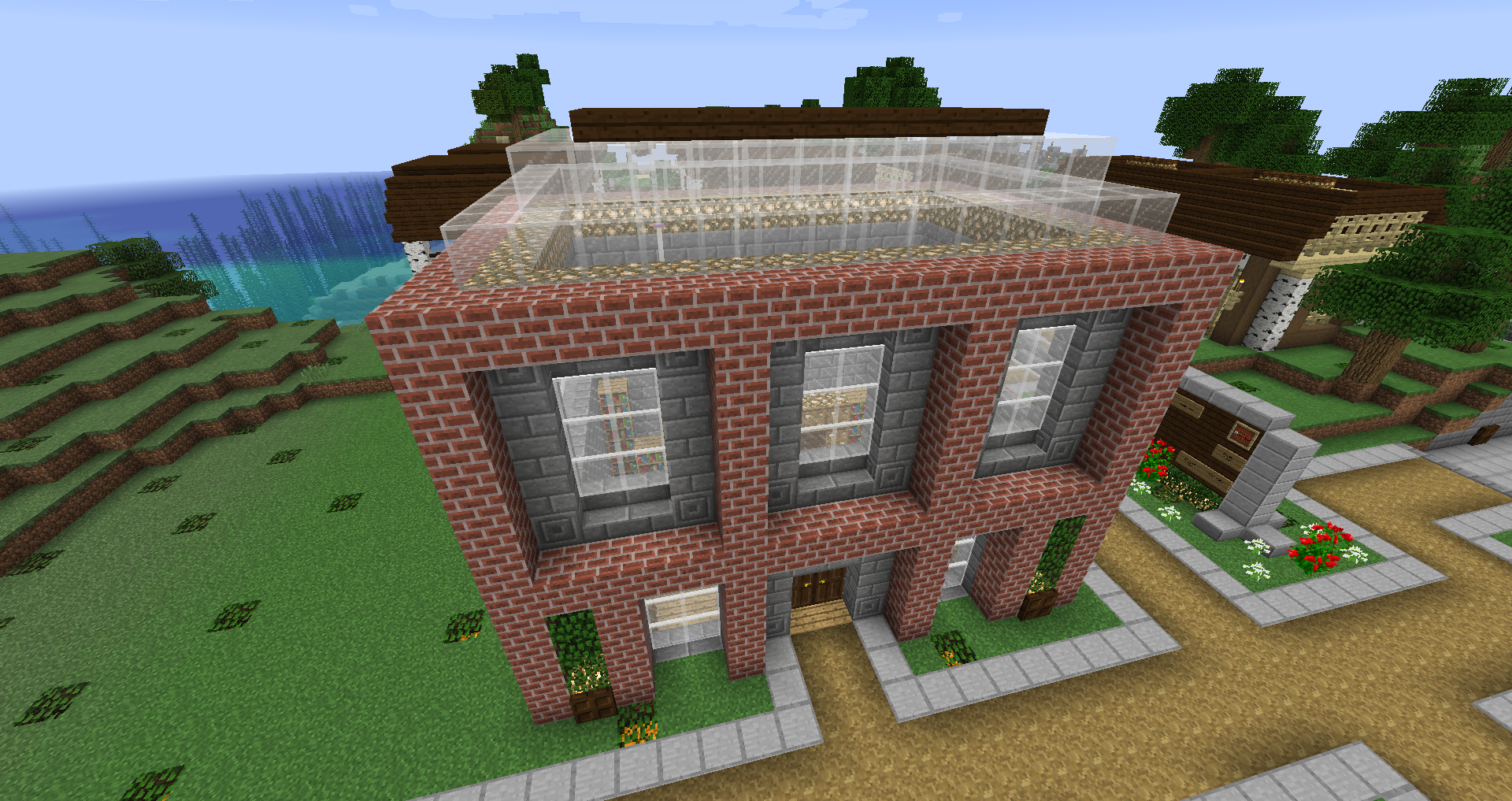
I needed a place to showcase what we could do with the new system, so my lovely wife built a little hut right outside the Command Tower for me. It made sense to put it right next to the CT since we’ll be adding command blocks soon, making it easy for people to interact with it. It’s on the south side of the tower, right across from the exit.

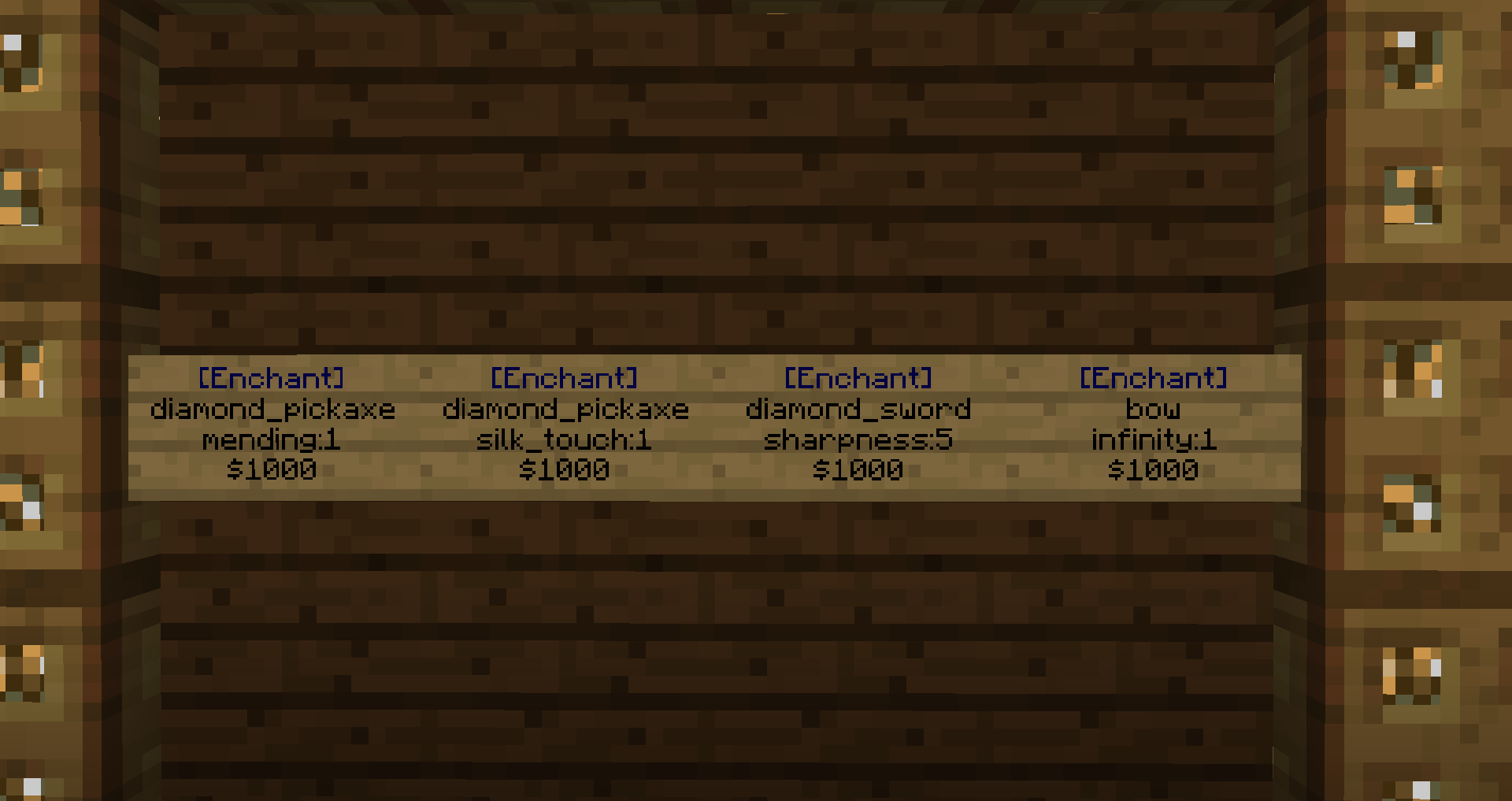
Inside, you will see a wall with signs. The way that signs tie into all of this is really neat, and it’s what we’ll use eventually inside the market shops too, but for now I’ll just explain how it works within the context of the Serverus Shack.

You will notice that the signs start with [Enchant] and this is followed by an item ID, for example diamond_pickaxe, and this is followed by an enchant ID, a colon, and a number. The number is the level of the enchant, although 3 of the 4 enchants provided here only have one level. The last line of the sign is a cost, i.e. the amount of currency you will need.

To use these signs, hold the specified item in your hand, and right-click the sign. If you have enough currency in your balance, the item will be enchanted and the currency will be removed from your balance. Pretty simple.

Right now we are featuring the following enchants, all for $1000:

  • Mending – Diamond Pickaxe
  • Silk Touch – Diamond Pickaxe
  • Sharpness V – Diamond Sword
  • Infinity – Bow

We will rotate enchants on a weekly basis, so if these are not to your liking, let me know in the group which ones you’d like to see and I’ll take it into consideration.

The /repair Alternative

So you know by now that my uninventive alternative to /repair is…well…it’s /repair. But with the economy plugin, I can now stop having to hear the incessant griping about it going away 😉 and I achieve this by making each use of /repair cost $100. Now it’s up to you, the players, to decide how badly you need the command. Stay in the green by participating in one of the activities below to top yourself off with enough repairs to fix the Satellite of Love and you’ll never have to put your favorite sentient weapon in the rainy day box again.

We’ll be adding more commands as time goes on, but for now you can also take advantage of /heal for $50 a pop as well. Try as you might, I’m not taking suggestions for the roadmap on additions to this option any time in the near future.

To keep it as fair as possible, we will still definitely have weeks when /repair is free, but for now I want to attempt this take on things for a while. Luckily you have plenty of ways you can earn currency, and we’re rolling over ideas for more, so don’t feel like you’re getting left out here. The general rule of thumb here is: the more you participate, the more opportunities you will have. So let’s review how you can maximize your chances.

Show Me The $$$

Currently we have FOUR ways to acquire points with more lined up for at least September.

1. Event Participation / Holidays

Kind of a twofer here coming this weekend. We have Labor Day AND the Ender Dragon Fight. Get double bonus bucks for September 3rd – $2000 for participating in this event. And of course we have more upcoming soon.

We’ll also be giving books during the holidays now that can be redeemed for points. Make sure to the visit the community Holiday Area every time we have a major holiday and you’ll be swimming in silk touch picks in no time 🙂

2. Return of the Lottery

The lottery returns and it’s so nice we do it twice! Now we will run lottery for both xp and currency, once per day for each at random (but separate) times. The amount will be variable too so you never know what you’re going to get! The more you’re on, the more likely you are to win. You make your own odds on this one.

3. Extra Life: November 3rd, 2018

If you haven’t signed up for the Extra Life team yet, here’s your incentive to do so. Last time we did our Extra Life Challenge Map, participants could earn “Life Crystals” for each dollar they donated to the SAMC Team Member. These crystals could be used to purchase items during the challenge to assist them with their progress. Same thing happening this year.

Now you might be saying “Hey Chris doesn’t that give them an advantage?” and the answer would be yes. But it’s for charity so I don’t care 😉 Plus it helps people out of a bind if they lose their tools and can’t continue, so ¯\_(ツ)_/¯

Anyway, I considered doing the same thing with the currency, but I want to encourage raising money for charity first and foremost, and not all of you will want to compete, so this year you’ll get $100 currency for each dollar you raise overall for the team as a whole towards our grand total. Raise $100 for your personal goal, your balance goes up by $10k. That easy.

CLICK THIS LINK TO SIGN UP FOR OUR EXTRA LIFE TEAM

4. Review Steam Games on SomeAwesome.com

Yes, it’s time for another episode of I Will Find A Way To Get You To Sign Up For This Site and that means we now have cross-site functionality across SomeAwesome.com

It’s nothing fancy, at least in concept. It was an interesting feature to develop, code-wise, and I’ve got more to add to it soon enough. In a nutshell, you can convert the points you earn on SomeAwesome.com into currency on a 1-to-1 basis. You pick the amount you want to convert, and that’s how much gets sent to you on the server.

Side note: You need to be on the server for this to work

Basically, If you’re interested at all in reviewing video games and getting free Steam games for your trouble (or using your points for currency) then sign up for an account and shoot me over any questions you might have.

I’ll have an article up soon over on that site on how to access and use the converter.

This Article is Too Long

I know, I tend to do that, but hey, it’s an article full of good news, so it’s not all bad.

We want to make sure we are giving people a fair shake when it comes to the currency system. At the same time, we know it’s a good way to incentivize people to participate in things too, so yeah, I’m aware it’s a balancing act. We think it’s a good trade-off at the moment, but we do want to hear your thoughts. I can’t guarantee we will implement every idea, but we will be more than happy to field questions and consider concerns. Deal?

To make sure you read this to the end, if you comment with a picture of cheese in the thread where I posted this I will add $1000 to your balance. 😛